Build Faster with Syncfusion AI Coding Assistants & Agent Skills
Enterprise-grade PDF Viewer Component for Angular Apps
No credit card required. | 1.2M+ downloads
- Pixel-perfect PDF rendering
- Quick load times, even for large PDFs
- Secure and flexible viewing control


Trusted by the world’s leading companies

Why do you need our Angular PDF Viewer?
Building an Angular PDF viewer and editor from scratch is complex and presents challenges in accurate rendering, annotations, form filling, performance with large files, and security. Syncfusion simplifies this with an enterprise-ready Angular PDF Viewer component that offers high-fidelity rendering, built-in annotation and editing features, fast performance, and secure, flexible controls—enabling faster development, rich PDF experiences, and reduced maintenance.
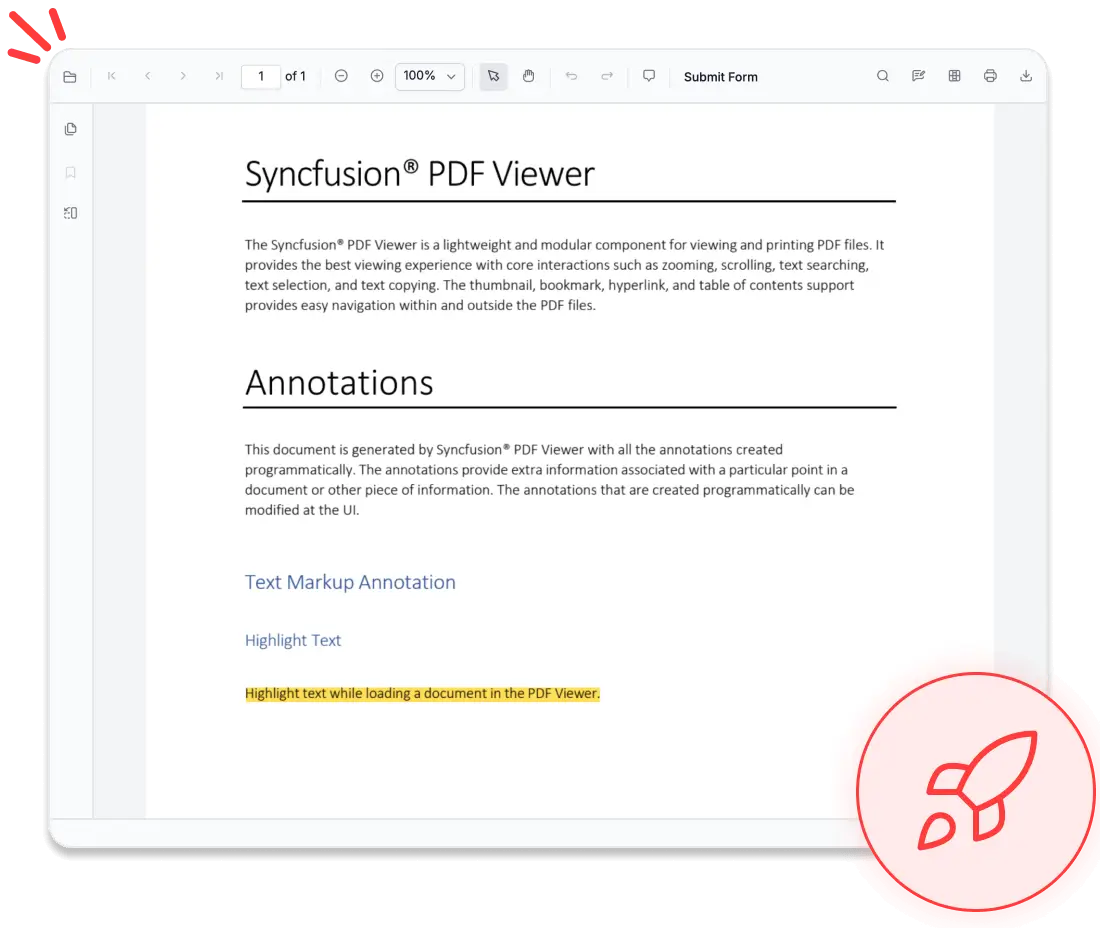
Engage with PDFs in real time—highlight text, annotate content, complete forms, and add signatures effortlessly.
Get Started in Minutes
Follow these three steps to integrate the PDF Viewer into your Angular application.
1
Install the PDF Viewer Package
Install the Syncfusion Angular PDF Viewer package using npm.
npm install @syncfusion/ej2-angular-pdfviewer --save2
Import the required CSS styles
Import the necessary Syncfusion Angular PDF Viewer CSS files in src/styles.css to ensure proper layout and theme styling.
@import '../node_modules/@syncfusion/ej2-base/styles/tailwind3.css';
@import '../node_modules/@syncfusion/ej2-buttons/styles/tailwind3.css';
@import '../node_modules/@syncfusion/ej2-dropdowns/styles/tailwind3.css';
@import '../node_modules/@syncfusion/ej2-inputs/styles/tailwind3.css';
@import '../node_modules/@syncfusion/ej2-navigations/styles/tailwind3.css';
@import '../node_modules/@syncfusion/ej2-popups/styles/tailwind3.css';
@import '../node_modules/@syncfusion/ej2-splitbuttons/styles/tailwind3.css';
@import '../node_modules/@syncfusion/ej2-notifications/styles/tailwind3.css';
@import '../node_modules/@syncfusion/ej2-pdfviewer/styles/tailwind3.css';
3
Initialize the PDF Viewer component
Import and render the PDF Viewer component to start building instantly.
import { Component } from '@angular/core';
import { PdfViewerModule, LinkAnnotationService, BookmarkViewService, MagnificationService, ThumbnailViewService,
         ToolbarService, NavigationService, TextSearchService, TextSelectionService, PrintService, FormDesignerService,
         FormFieldsService, AnnotationService, PageOrganizerService } from '@syncfusion/ej2-angular-pdfviewer';

@Component({
  selector: 'app-root',
  standalone: true,
  imports: [PdfViewerModule],
  providers: [LinkAnnotationService, BookmarkViewService, MagnificationService, ThumbnailViewService, ToolbarService,
              NavigationService, TextSearchService, TextSelectionService, PrintService, AnnotationService,
              FormDesignerService, FormFieldsService, PageOrganizerService],
  template: `<ejs-pdfviewer id="pdfViewer"
                [documentPath]="documentPath"
                [resourceUrl]="resourcesUrl"
                style="display:block">
             </ejs-pdfviewer>`
})
export class App {
  public documentPath: string = 'https://cdn.syncfusion.com/content/pdf/pdf-succinctly.pdf';
  public resourcesUrl: string = 'https://cdn.syncfusion.com/ej2/dist/ej2-pdfviewer-lib';
}AI-assisted Development
Build scalable PDF viewer solutions with AI faster
Build scalable PDF viewing solutions faster with Syncfusion AI tools that turn requirements into high-performance document experiences.
Agent Skills
Create accurate PDF Viewer code with Syncfusion Agent Skills for faster development
Example Prompt Show me how to create a PDF Viewer in Angular.
AI Coding Assistant
Generate accurate PDF Viewer code with AI that configures and debugs code directly in your IDE
Example Prompt Show me how to set up a PDF Viewer in Angular with basic configuration.
Enterprise-ready PDF viewing power
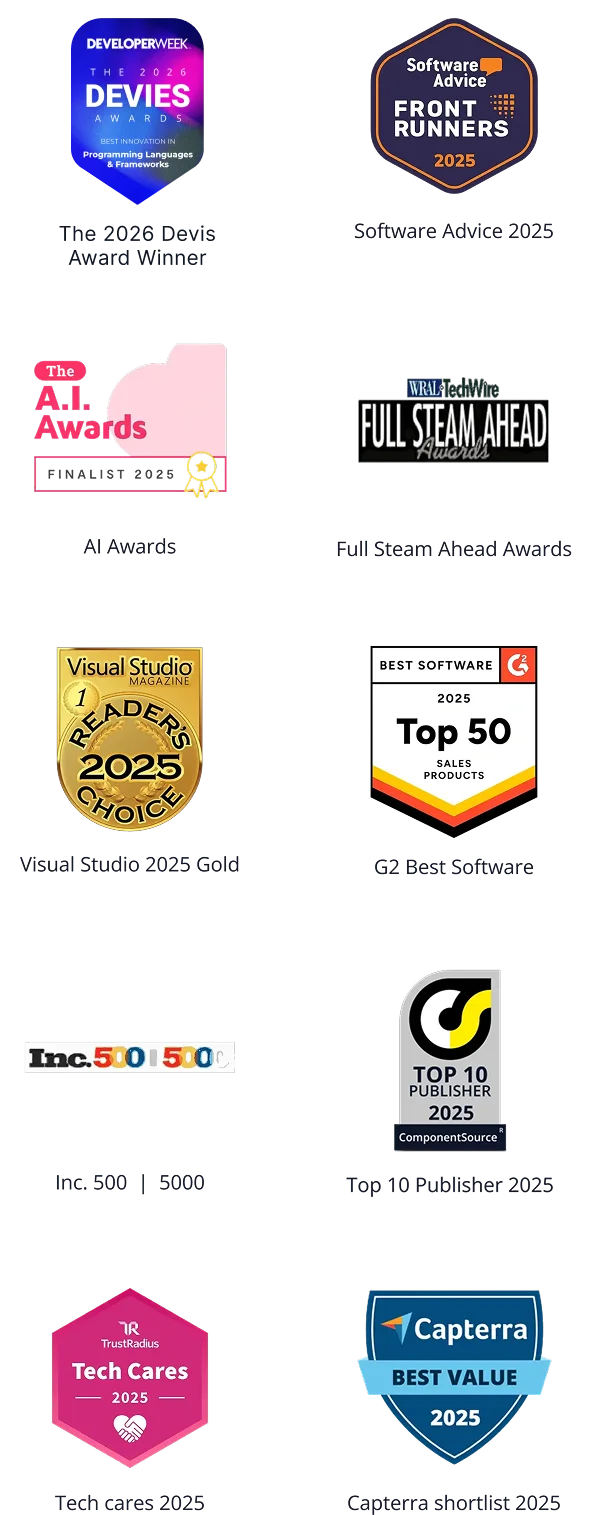
Unlock insights from every PDF
Our Angular PDF Viewer goes beyond simple document display—it interprets content. With integrated AI capabilities, it can extract key information, summarize text, identify form fields, and enable intelligent search within your application. Developers can extend these features to build smart document workflows, automate classification, or integrate with enterprise AI systems, all while maintaining strong security and high performance.
- Enables intelligent extraction of text and form fields.
- Supports AI-powered content analysis and summarization.
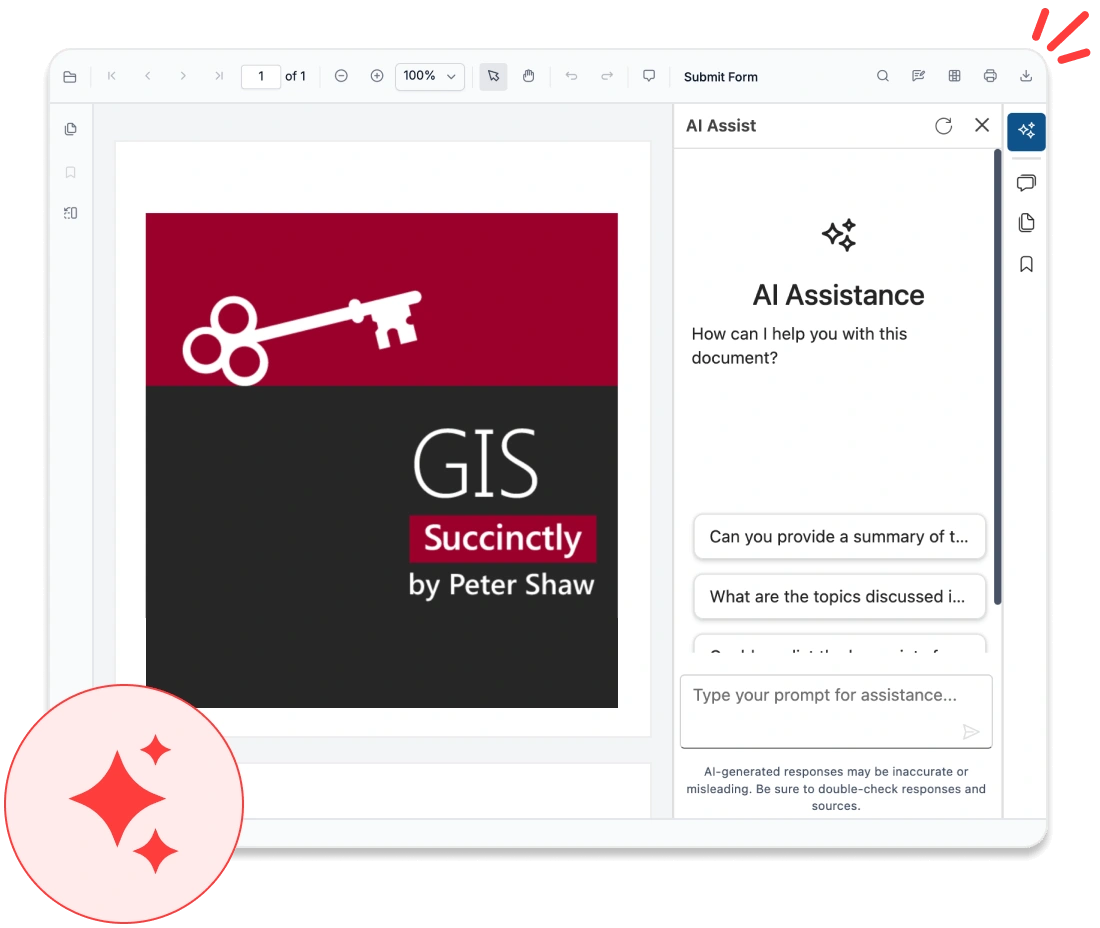
Delivers true-to-source accuracy
Experience accurate and reliable document viewing with the Angular PDF Viewer component, designed to preserve every visual detail. It ensures consistency across platforms, delivering dependable rendering for complex documents while supporting high-quality display and reliable cross-device performance.
- Maintains complete layout and font fidelity.
- Provides consistent rendering across all browsers and devices.
- Accurately displays vector graphics and images.
- Supports embedded fonts for precise text appearance.
- Ensures uniform viewing across different screen sizes and resolutions.
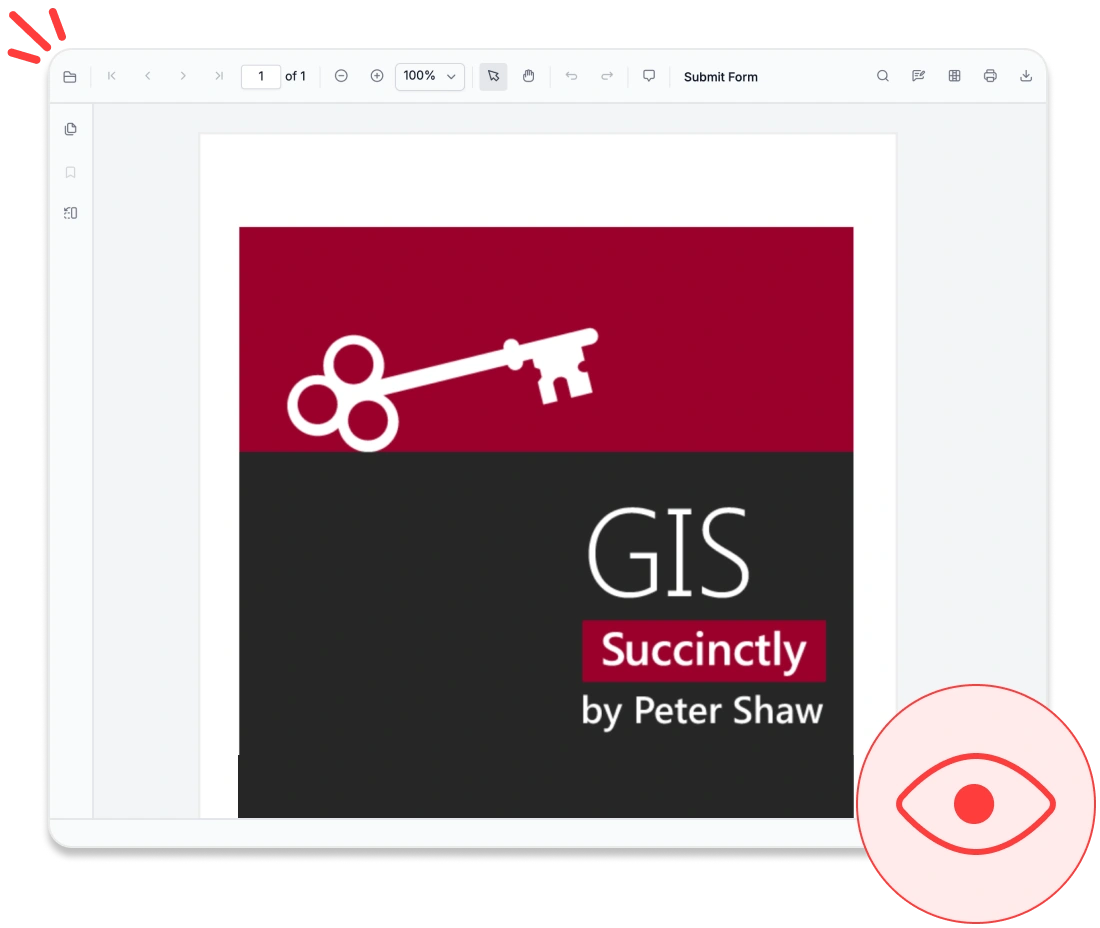
Optimized for large documents
Handle large and complex PDFs effortlessly with our Angular PDF Viewer, which was built for speed, scalability, and reliability. It ensures fast load times and smooth interactions, delivering a responsive viewing experience for high-volume documents across devices—even in resource-constrained environments.
- Supports progressive and on-demand page loading.
- Ensures smooth navigation through large PDF files.
- Reduces memory usage with efficient resource handling.
- Delivers responsive scrolling and zooming performance.
- Maintains stability for complex, multipage documents.
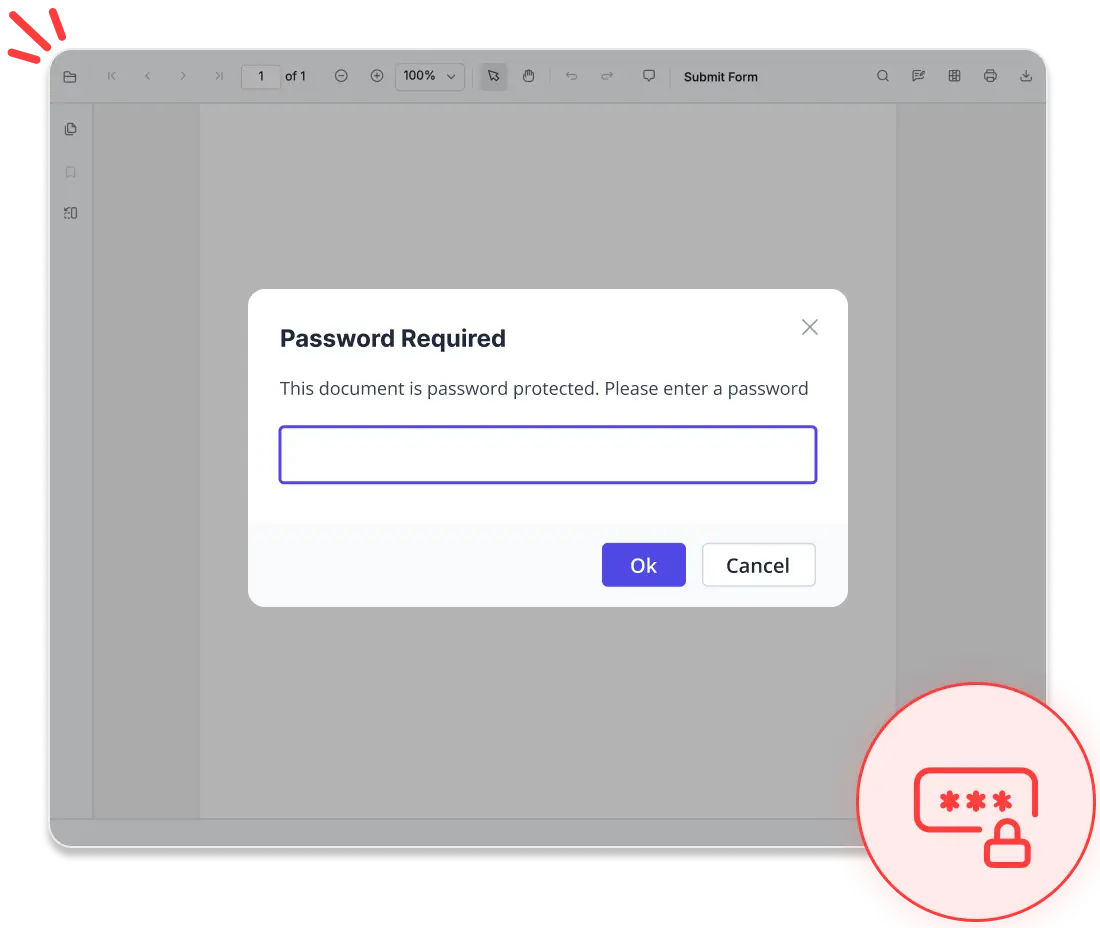
No data leaves your app
Protect sensitive information with our Angular PDF Viewer, designed for complete data privacy and control. It ensures all document interactions remain within your application, giving you confidence when handling confidential content while supporting secure and compliant workflows.
- Prevents data from exposure to external third-party services.
- Supports compliance with HIPAA, GDPR, and SOC 2® Type 2 standards at the application level.
- Ensures all operations occur within your application environment.
- Provides full control over document access and handling.
- Eliminates dependency on external processing services.
Advanced navigation & search tools
Thumbnails
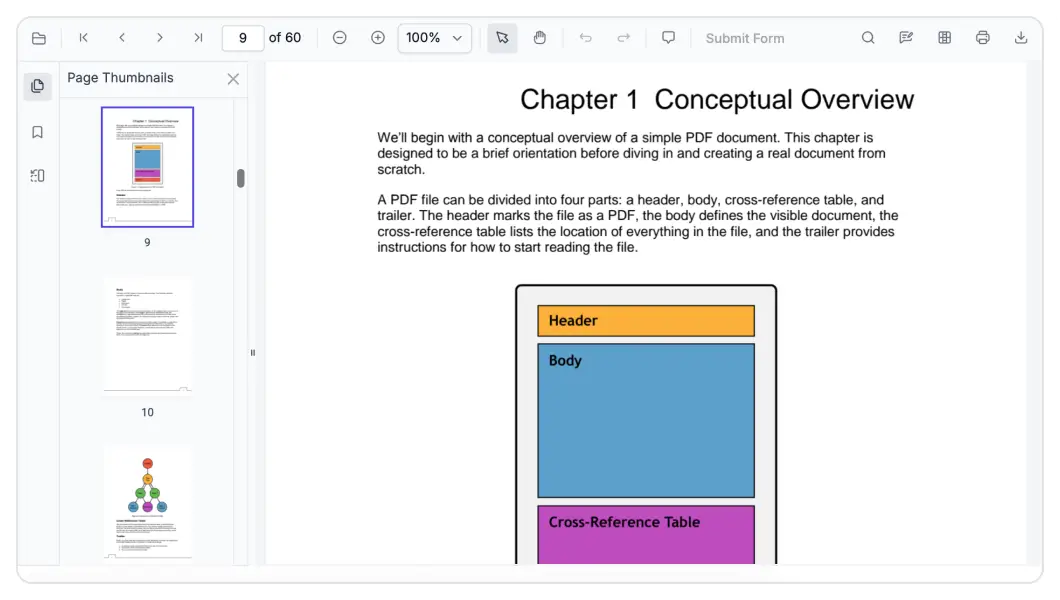
Enable visual document browsing with intuitive page thumbnails that provide a quick preview of every page. Users can instantly locate and jump to the content they need, making navigation faster and more user friendly.
Bookmarks
Access built-in PDF bookmarks directly within the viewer for seamless navigation. This feature lets users quickly jump to key sections and stay oriented throughout the document, enhancing overall usability and convenience.
Hyperlinks
Bring documents to life with seamless hyperlink navigation. The PDF Viewer intelligently supports inline links and table-of-contents entries that allow users to jump directly to relevant sections without scrolling, creating a faster, more contextual, and user-friendly reading experience.
Text search
Quickly find what you need with built-in text search. The Angular PDF Viewer scans the document and highlights matching results, helping users locate information instantly and navigate content with ease.
Text selection
Easily interact with document content using built-in text selection. Users can select and copy text effortlessly through intuitive actions like dragging, keyboard shortcuts, and context menus, making it simple to extract and reuse information directly from the PDF.
Zooming
Deliver flexible viewing with built-in magnification controls. Users can easily zoom in, zoom out, set custom zoom levels, or adjust views with fit-to-page and fit-to-width options—all accessible from the toolbar and fully customizable to match your UI needs.
Seamless PDF editing experience
Deliver secure, interactive, and professional PDF viewing within your application. The Angular PDF Viewer provides robust tools for reviewing, filling, and protecting documents—all seamlessly handled in the browser.
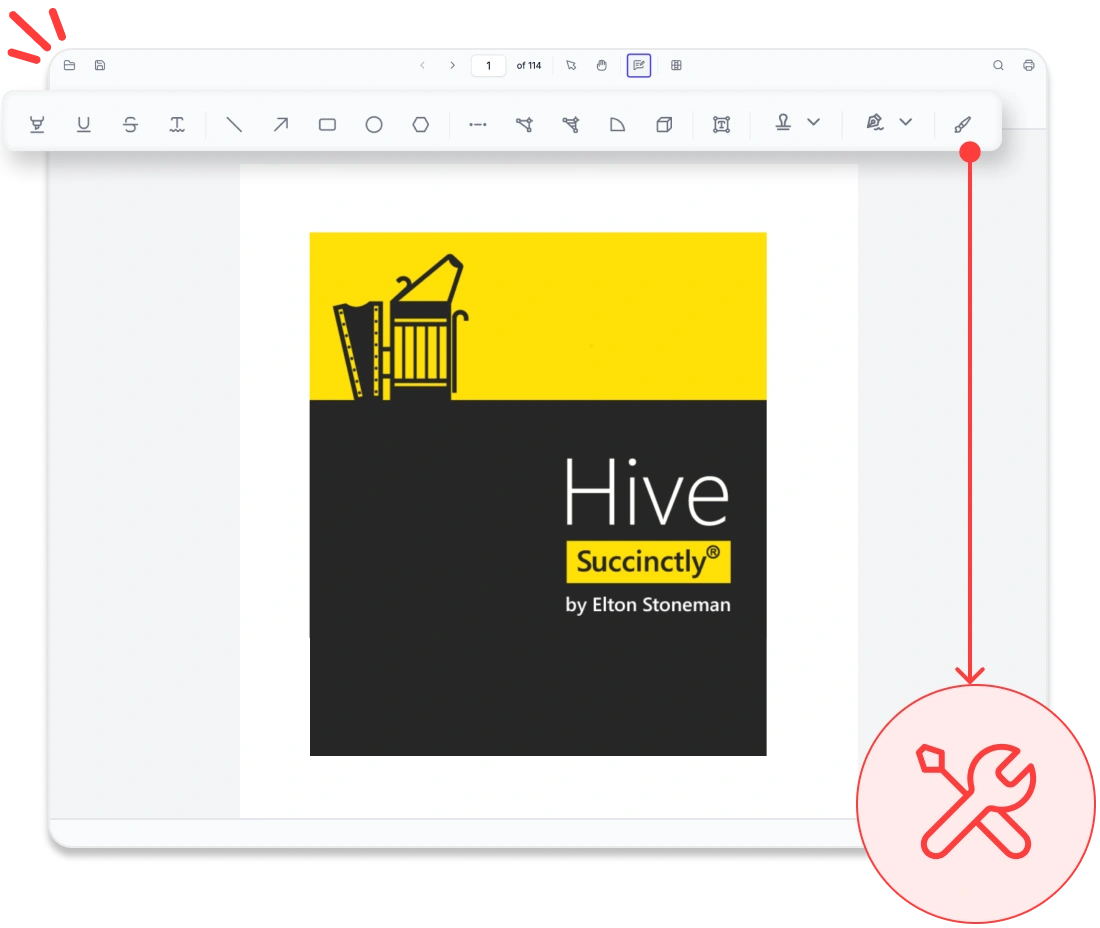
Rich annotation tools
Add highlights, sticky notes, stamps, freehand drawings, shapes, and ink annotations directly to PDFs. Users can review content, import or export annotations, and maintain consistent feedback across workflows.
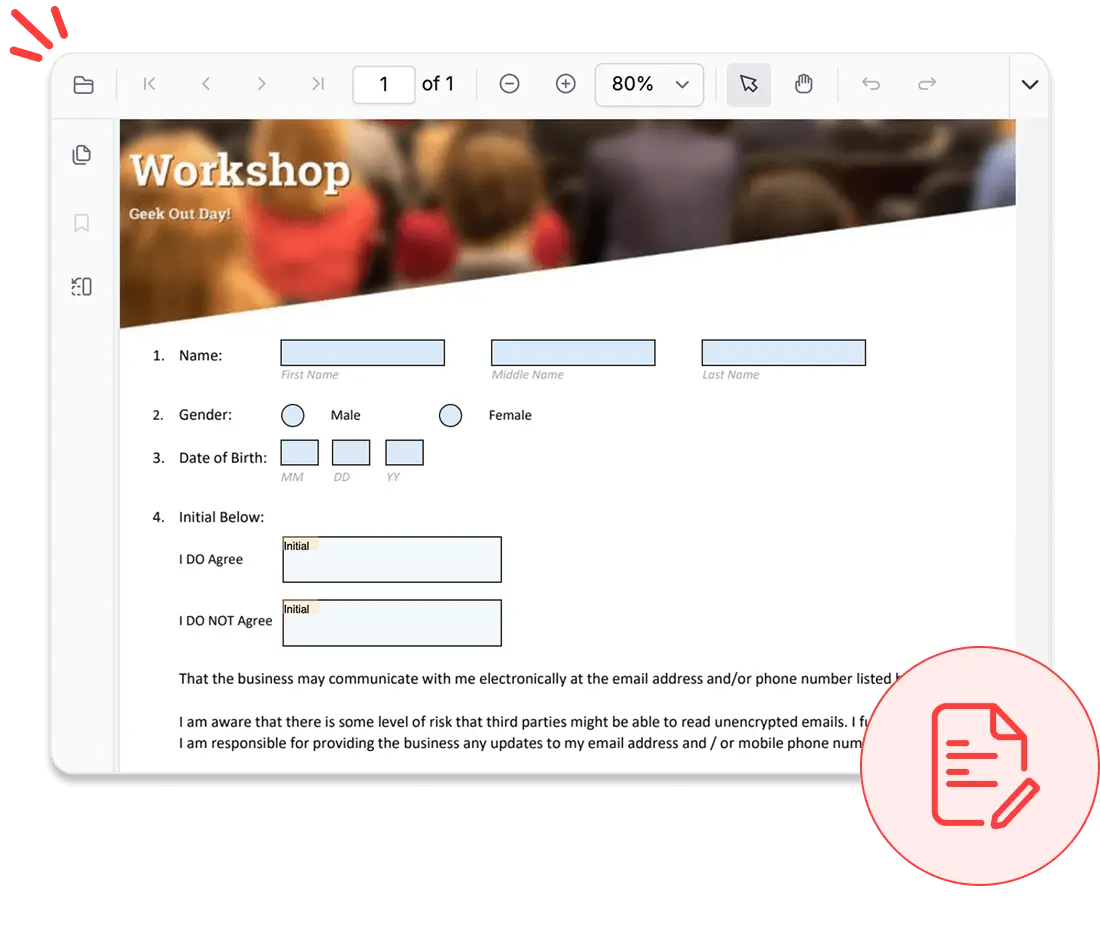
Form filling and designer
Complete interactive forms with text fields, checkboxes, radio buttons, and dropdowns, or design new forms within the viewer. Users can edit, preview, and save forms in real time, streamlining data collection.
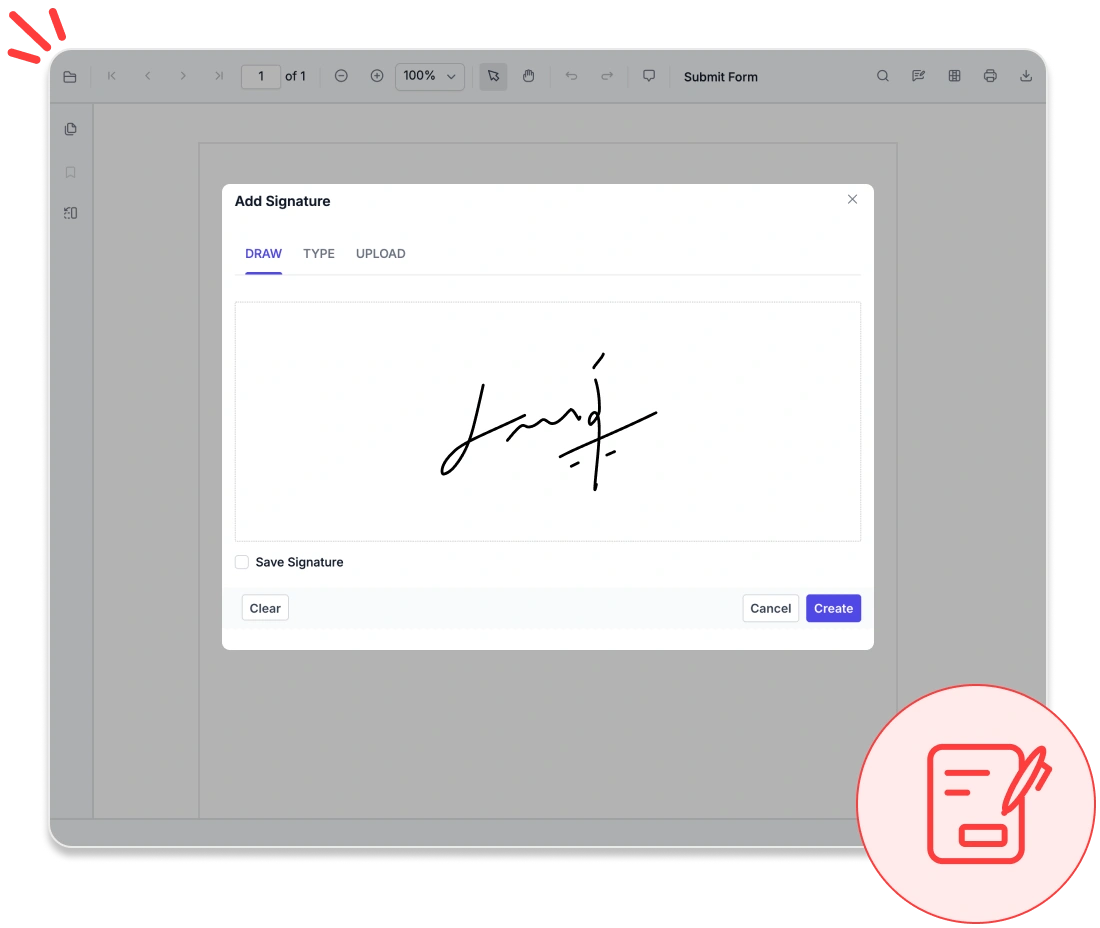
Secure signatures
Apply handwritten, typed, or image-based electronic signatures, or validate digital certificates to ensure authenticity. Protect sensitive information with built-in tools that permanently remove confidential data from documents.
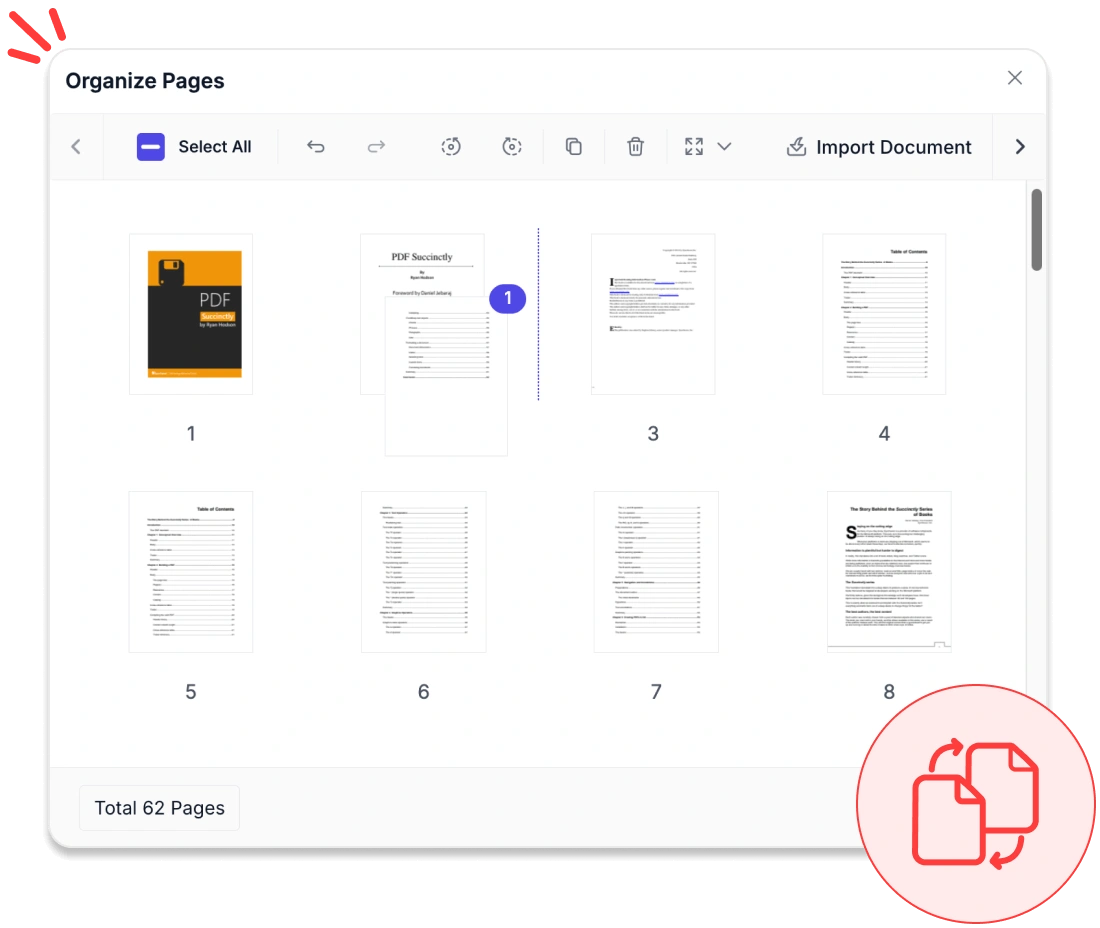
Organize pages
Edit PDF pages by inserting, deleting, reordering, or rotating them. Bring in pages from other PDFs and download the updated PDF instantly.
Accessibility and global readiness
WCAG-compliant viewer
Fully complies with WCAG standards, offering features like keyboard navigation, ARIA labels, and high-contrast themes to support users with disabilities.
Multilingual and RTL support
Provides complete localization with right-to-left (RTL) rendering, enabling smooth adaptation to global languages and regional workflows.
Screen reader compatibility
Ensures all PDF content, form fields, and controls are accessible to screen readers, delivering an inclusive experience for all users.
UI customization & extensibility
Build and tailor your PDF experience with our Angular PDF Viewer, designed for flexibility. Enjoy seamless integration, rich customization options, and scalable performance to meet evolving application needs.
- Fully customize the viewer interface with built-in themes, localization support, and RTL layout options.
- Rely on detailed documentation and enterprise-grade support to accelerate development and ensure long-term success.
- Support extensibility through APIs for adding custom features and workflows.
Industry-specific use cases
The Angular PDF Viewer is designed to meet the distinct needs of various industries, empowering professionals across sectors to view, annotate, and manage PDF documents with confidence.
No credit card required.
Healthcare
Healthcare professionals can securely access, annotate, and share patient records, lab results, and consent forms in PDF format using HIPAA-compliant features that ensure protected data handling.
Legal and compliance
Law firms and compliance teams can efficiently review contracts, case files, and regulatory documents with advanced tools for annotation, and digital signatures.
Education and e-learning
Educators and students can highlight, comment on, and annotate course materials, research papers, and e-books to enhance engagement and simplify content review.
Finance and banking
Finance teams can validate statements, invoices, and audit reports within PDFs. Features like text search, form filling, and digital signatures streamline approvals and support regulatory compliance.
See Why Developers Love Syncfusion
These real-time stories shows the impact of our PDF Viewer
The best way to showcase our commitment is through the experiences and stories of those who have used our PDF Viewer.




See Real Success Stories
Developers around the world trust Syncfusion’s Essential Studio to simplify complex projects and speed up delivery. With a vast library of UI controls, powerful SDKs, and reliable support, Essential Studio helps teams build enterprise-ready applications with confidence.
Read Our Customer StoriesIndustry
Software development
75% Cost reduction
50% Faster development

Industry
Utilities (oil and gas)

450+ hours saved
Streamlined processes and hours of development effort saved.

Advanced, flexible features
Empowered users through robust and versatile functionality.
Industry
Software and technology
1000+ of hours saved
Accelerated development with enterprise-ready UI components.

Efficient file management
Streamlined workflows with document libraries without building them from scratch.
Industry
Software and technology

2 Years of delay avoided
Two years of delays prevented with proactive planning.

On-time delivery
Projects delivered on schedule using trusted controls.
Industry
IT services and IT consulting

Improved performance
Large datasets handled with easy customization and quick debugging.

Highly customizable
Plug-and-play controls with quick template integration.
Industry
Professional services
Instant access
Quick availability of features and resources.
Reduced dependencies
Fewer dependencies for faster development.
Endless possibilities with one viewer
Whether you’re building dashboards, managing legal documents, or delivering e-learning content, the Angular PDF Viewer ensures smooth and interactive document handling. Join over 1M developers who rely on Syncfusion® for secure, enterprise-grade PDF rendering, annotation, and form filling. Discover why it consistently outperforms competing solutions in real-world performance benchmarks.
No credit card required.
Angular PDF Viewer FAQ
If you’re new to the Angular PDF Viewer or have questions, our FAQ will help you explore its features and capabilities.
Frequently Asked Questions
What is the Angular PDF Viewer?
The Angular PDF Viewer is a powerful PDF viewer component that allows developers to display, navigate, and interact with PDF files within Angular applications. The Syncfusion Angular PDF Viewer also includes advanced features typically found in a PDF editor, such as annotations and form handling.
Does the Angular PDF Viewer work as a PDF editor?
Yes. Beyond viewing, the Angular PDF Viewer includes PDF editor capabilities such as annotations, text markup, and form interactions, enabling users to review, edit, and collaborate on documents directly.
Can I customize the Angular PDF Viewer component to match my UI/UX?
Yes, the Angular PDF Viewer component offers extensive customization options, including themes, toolbar controls, localization, and RTL support, allowing you to create a fully branded PDF viewing experience.
Can the Angular PDF Viewer handle large and complex PDF documents?
Yes. The Angular PDF Viewer is optimized for large and complex PDFs, using progressive loading and efficient rendering to maintain smooth interaction and stable performance in production environments.
What developer resources are available for the Angular PDF Viewer?
Comprehensive documentation, code samples, API references, and community forums are available to support developers at every stage.
How do I get started with the Syncfusion Angular PDF Viewer?
You can get started by reviewing the official documentation, exploring live samples, and following step by step integration guides to embed the PDF Viewer into your Angular application.
Does the Angular PDF Viewer support form filling?
Yes, the Angular PDF Viewer supports filling out interactive PDF forms (AcroForms). Users can enter data into text fields, checkboxes, radio buttons, and dropdowns directly within the viewer and save or submit the completed form.
Does the Angular PDF Viewer support digital signatures?
Syncfusion Angular PDF Viewer supports adding and displaying electronic signatures (drawn, typed, or image-based) as well as digital signatures (certificate-based) within PDF documents. However, advanced digital signature validation—such as verifying certificate authenticity and document integrity—typically requires server-side processing or the use of Syncfusion’s dedicated PDF libraries.
Is it possible to edit PDF content in the Angular PDF Viewer?
The Angular PDF Viewer supports limited editing capabilities such as annotations, text markup, and form field updates. Full content editing (like modifying existing text or images in the PDF) typically requires additional PDF processing tools or backend services.
Can I customize the toolbar for specific features like form filling or signatures?
Yes, our Angular PDF Viewer offers flexible toolbar customization to match your application needs. You can easily enable features like form filling, annotations, and signatures, while also controlling actions such as printing and downloading. Custom toolbar items can be added to build a fully tailored user experience.
Why should I choose the Angular PDF Viewer over other third-party PDF viewers?
The Syncfusion Angular PDF Viewer enables developers to embed secure, high performance PDF viewing and interaction directly into Angular applications. It is designed for enterprise and production environments where reliability, scalability, and control are essential.
Is the Angular PDF Viewer compatible with multiple platforms?
Yes, the Angular PDF Viewer supports a wide range of platforms, allowing you to build cross-platform applications with consistent PDF viewing experiences.
How does the Angular PDF Viewer compare to other solutions?
Syncfusion stands out with its robust feature set, ease of use, platform versatility, and dedicated support. It’s a preferred solution for developers worldwide.
Is the Angular PDF Viewer secure and compliant?
Security is a core design principle. All PDF operations run within the application by default, and supports application level compliance requirements such as HIPAA, GDPR, and SOC 2 for handling sensitive documents.
Does the Angular PDF Viewer support PDF annotation?
Yes, the Angular PDF Viewer includes rich PDF annotation tools such as highlight, underline, strikethrough, shapes, freehand drawing, and comments, enabling efficient document review and collaboration.
Can I perform text search in PDF documents?
Yes, the Angular PDF Viewer provides powerful text search in PDF capabilities, allowing users to quickly find and highlight specific words or phrases within large documents.
Can I design or create PDF forms in the Angular PDF Viewer?
Yes, with the form designer feature, you can create and customize form fields programmatically or through the UI. This includes adding text boxes, checkboxes, signature fields, and configuring validation rules or default values.
Can users verify digital signatures in PDFs?
Syncfusion’s ecosystem supports validation of digital signatures and can indicate whether they are valid or modified. However, this functionality typically relies on the Syncfusion PDF Library (server-side or additional processing), and is not handled solely by the Angular PDF Viewer component.
What design customization options are available in the Angular PDF Viewer?
The Angular PDF viewer provides extensive design customization options including toolbar customization, theme support, layout adjustments, and integration with CSS frameworks. Developers can tailor the UI to match their application’s branding.
Does the viewer support saving filled forms or edited PDFs?
Yes, the Angular PDF Viewer supports saving PDFs with filled forms, annotations, and signatures. Users can save the updated document locally or send it to a server for storage or further processing.
Resources
Learn more about our Angular PDF Viewer
Explore demos, KB articles, and documentation to get the most out of our PDF Viewer.
Explore guides, APIs, and quick-start tips
See live use cases in action
Ask, share, and connect with peers
Find solutions and best practices fast.
Get expert help when you need it.
Feature requests and bug reports
Track issues and suggest improvements.
Trusted by the Industry, Recognized for Excellence
We don’t just say we’re great—independent awards and industry leaders back it up. We are honored to be recognized for our product innovation, customer support, and overall excellence by top organizations worldwide.